
You can remove learners from a course by unenrolling them. To prevent learners from re-enrolling, course enrollment must also be closed.
To unenroll learners, you supply the email addresses of enrolled learners.
- Log in to SkilRedi with your instructor or staff account.
- Navigate to the course of interest.
- Select the Instructor tab.
- Select Membership.
- In the Batch Enrollment section of the page, enter a username or an email address, or multiple usernames or addresses separated by commas or new lines.
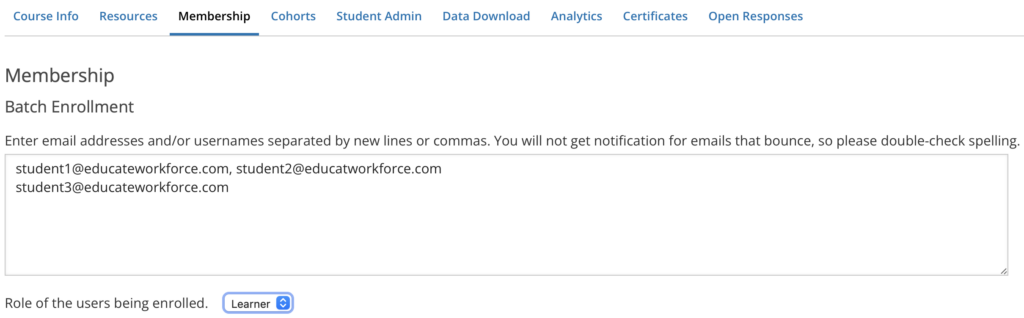
- In the Enter the reason why the students are to be manually enrolled or unenrolled field, enter a specific, detailed reason why you want to unenroll these learners.
- To send learners an email message, leave Notify students by email selected.
- Select the Unenroll button.
Leave a Reply
You must be logged in to post a comment.