
To log in to SkilRedi using Clemson University, you first need to link that account in your SkilRedi account settings.
To link your Clemson University account to your SkilRedi account
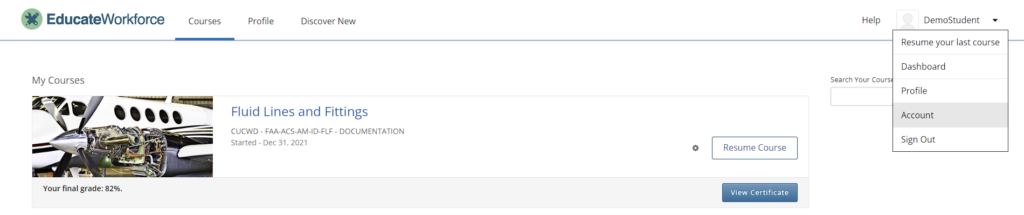
- After logging in to SkilRedi, select the dropdown menu next to your username, then select Account.
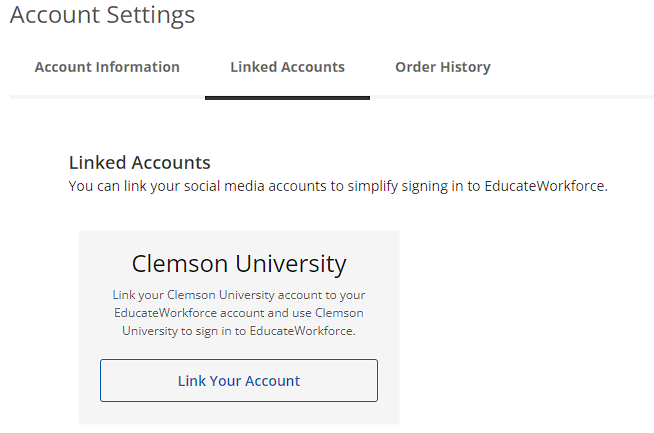
- At the top of the page, you will find a Linked Accounts tab with Sign-In buttons to link your Clemson University account.
To unlink your Clemson University account from your SkilRedi account
To unlink your SkilRedi account from a Clemson University account, select Unlink below that account name.
Leave a Reply
You must be logged in to post a comment.